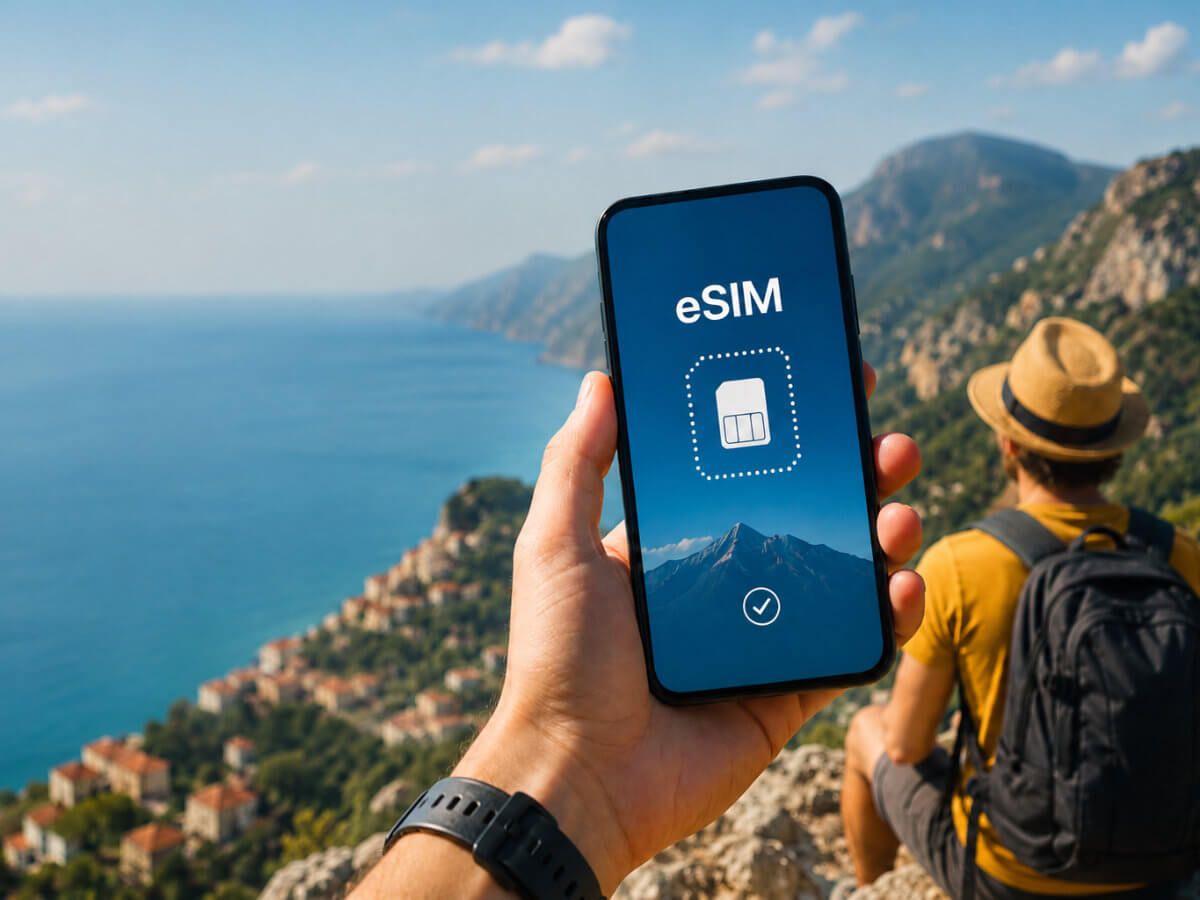
Unlock Convenience With the Best Prepaid eSIM for Travelers
A prepaid eSIM is a digital SIM card that is purchased and activated before use, removing the need for a physical plastic card. It works by downloading a cellular profile directly onto a compatible device, which then connects to a mobile network for data, calls, and texts. Users can buy a prepaid eSIM plan online, install it via a QR code or app, and manage their balance without any long-term contract.
Understanding the Shift from Physical SIMs to Digital Profiles

The shift from a physical SIM to a digital profile means your prepaid plan lives as software on your phone, not a plastic card. For prepaid eSIM users, this removes the need to wait for a physical card to arrive or find a store to buy one. You simply download a QR code or an app, and your prepaid balance, data, and number are instantly active. Q: Does a digital profile drain my battery faster than a physical SIM? A: No, modern eSIM chips are integrated into the phone’s hardware and use the same power as a physical SIM—if anything, they can be slightly more efficient. The real change is convenience: you can switch prepaid profiles in seconds, store multiple plans on one device, and avoid fiddling with tiny trays.
How Embedded SIM Technology Works for Travelers
For travelers, embedded SIM technology works by integrating a programmable chip directly into your phone’s motherboard. Instead of swapping a physical card, you purchase a prepaid eSIM data plan online, then download a digital profile to the embedded SIM. The profile contains encrypted authentication details that verify your right to access a foreign mobile network. Once activated, your device stores this profile alongside your home SIM, letting you switch networks via settings. Key steps include:
- Selecting a prepaid eSIM plan from a provider in your destination region.
- Scanning a QR code or installing an app to write the profile onto the embedded chip.
- Toggling the new travel eSIM profile on your device to connect seamlessly without leaving your hotel.
This process eliminates physical logistics, enabling instant connectivity upon arrival.
Key Differences Between Traditional Roaming and Digital Connectivity
Traditional roaming ties you to your home carrier’s network, often incurring daily fees and throttled speeds. With a prepaid eSIM’s digital connectivity, you purchase a local data profile before departure, bypassing carrier lock-in. In roaming, you pay per megabyte at a preset rate; digital connectivity offers flat-rate data plans. A key difference is instant local provisioning: you download and activate a profile within minutes, while roaming requires manual network selection or carrier approval. Operator dependency vanishes, as you control which network to join.
Question: How does digital connectivity eliminate surprise roaming charges? Digital profiles use prepaid bundles with fixed data caps, so usage stops once the limit is hit, whereas traditional roaming can accrue costs until you manually disable data or change carriers.
Top Benefits of Choosing a Pay-As-You-Go Embedded Profile
The top benefits of choosing a prepaid eSIM with a Pay-As-You-Go Embedded Profile center on unmatched flexibility and cost control. Users avoid long-term contracts, only paying for data when needed, which eliminates wasted credit. This model allows instant top-ups and plan changes without physical SIM swaps. Funds never expire on many plans, preserving value for infrequent travel or backup use. The embedded profile also removes the need to store physical cards, simplifying device management across multiple profiles. This direct control over spending and usage makes it ideal for short-term travel or secondary data lines.
Instant Activation Without Visiting a Store
With a prepaid eSIM, instant activation without visiting a store transforms connectivity into a two-minute process. You simply scan a QR code or tap a link, and your profile downloads directly to your device. There is no queue, no ID check, and no paper form. The embedded profile activates the moment it lands on your phone, syncing with the local network automatically. You avoid travel delays or lunch-break errands entirely. The sequence is straightforward:
- Purchase the eSIM plan online from any device.
- Receive the activation code via email or app.
- Connect to a stable Wi-Fi, scan or enter the code.
- Your line goes live instantly—no physical SIM swap required.
Keeping Your Home Number Active While Using a Local Data Plan

When you switch to a prepaid eSIM, keeping your home number active while using a local data plan becomes effortless. Your physical SIM stays in the phone for calls and texts, while the eSIM handles all data. This dual setup means you never miss a verification code or urgent call from back home. Simply disable data roaming on your primary line to avoid charges, and let the local eSIM power your maps and apps. It’s a dynamic balance: home number on standby, local SIM in the driver’s seat.
Selecting the Right Travel Data Pack for Your Needs
The phone buzzed as I landed in Barcelona, but instead of hunting for a local SIM, I opened my eSIM app. Seeing dozens of data packs made me pause. I needed to match the pack to my itinerary, not just the cheapest. For a week of city hopping with heavy mapping and social uploads, a 5GB pack with 4G speed was the sweet spot—too little and I’d be topping up, too much and I’d waste money. How do you know if a 1GB daily pack is better than a 10GB weekly? Look at your usage: a 1GB daily works for short trips with constant connectivity needs, like streaming or hotspotting, while a 10GB weekly suits sporadic browsing with a single payment. I chose the weekly pack because my route included a three-day mountain stretch with patchy signal—wasting daily allowances there made no sense. Prioritize speed caps too: some packs throttle after a quota, which killed my video calls. Always check validity overlap with your travel days, not just flight dates.
Regional vs. Global Coverage Options Explained
When picking a prepaid eSIM, a regional pack covers a specific cluster of countries (like all of Europe or Southeast Asia), perfect for a focused trip. A global pack offers broader reach across continents but often at a higher cost or slower speeds. Choosing between them comes down to your itinerary—a regional plan usually gives better value if you’re staying in one zone.
Q: Should I always pick a global plan for peace of mind?
Not really. If you’re only visiting three neighboring countries, a regional data pack is cheaper and often faster. Global is best for multi-continent trips or last-minute border hops.
Data Cap Limits and Speed Throttling Policies
When selecting a travel data pack, scrutinize data cap limits and speed throttling policies to avoid connectivity shocks. A strict cap means your high-speed access ends abruptly, while a soft cap reduces speeds to 2G/3G after you burn through your allowance. Throttling can render maps or video calls unusable, especially during peak hours. Always check if your pack promises “unlimited” but hides a daily fair-use threshold.
- Confirm whether the cap resets daily, weekly, or for the entire trip.
- Ask if throttled speeds still allow messaging and navigation.
- Look for packs that warn you before hitting the throttle point.
- Verify if you can purchase a top-up to restore full speed immediately.
Comparing Major Digital SIM Providers for Tourists
When comparing major digital SIM providers for tourists, focus on data speed caps and local network partners, not just price. For example, Airalo often offers lower upfront costs but throttles speeds significantly after a small high-speed data allowance, while Holafly provides truly unlimited data but may restrict hotspot tethering. Nomad and Ubigi frequently connect to premium local carriers like Vodafone or NTT Docomo, ensuring consistent 4G/5G performance in cities. For a prepaid eSIM that balances reliability and value, prioritize providers with transparent speed policies and clear coverage maps for your specific destinations. Always verify if 24/7 chat support is included, as this saves you abroad. Choosing the wrong plan means wasted time reconfiguring your device—pick based on your actual data usage habits, not just marketing slogans.
Pricing Structures: Flat Fee vs. Top-Up Models
Evaluating prepaid eSIM pricing models boils down to a choice between predictable flat fees and flexible top-ups. A flat fee provider charges a single upfront cost for a set data allowance, ideal if you know your exact usage. However, top-up models let you buy a small base plan and add data later, which can save money if your consumption varies wildly. For tourists, the decision impacts budget control and convenience.
- Flat Fee: Pay once for a fixed amount; run out and you must buy a new full plan.
- Top-Up: Start with a low-cost base, then add small data packs Singapore eSIM only when needed.
- Flat Fee: Works best for heavy, predictable users wanting zero hassle.
- Top-Up: Suits light users or unexpected data spikes during travel.
User Experience Across iOS and Android Devices
The user experience of installing a prepaid eSIM varies significantly between iOS and Android. On iPhones, the process is highly standardized via a dedicated carrier settings interface, often requiring only a QR code scan for automatic profile installation. Android devices, however, present a fragmented experience, with some manufacturers burying the eSIM setup under “Network & Internet” or “Connections” menus. iOS offers a more streamlined initial setup, but Android provides superior granularity. To navigate this effectively:
- On iOS, verify the eSIM is added in “Cellular” settings; you cannot remove it without erasing the device.
- On Android, ensure “Use SIM” is toggled for the eSIM in the multi-SIM menu to avoid accidental data charges to a physical home SIM.
- Always check for carrier-specific app support, as some providers offer a direct download on iOS but require manual profile input on Android.
Practical Setup Steps for First-Time Users
To begin, ensure your smartphone is carrier-unlocked and supports eSIM. Purchase a prepaid eSIM plan from a provider offering a clear first-time setup guide. After payment, you will receive a QR code or activation code via email. Open your phone’s cellular settings, select “Add Cellular Plan,” and scan the QR code. Label the plan (e.g., “Travel Data”) and set it as your primary data line if needed. Immediately test connectivity by toggling mobile data and verifying the network name appears. For stability, restart your device once. This sequence ensures you avoid common activation errors and complete your prepaid eSIM activation in under five minutes.
Scanning a QR Code or Entering an Activation Code
After purchasing your prepaid eSIM, you will receive a QR code or an alphanumeric activation code via email or the provider’s app. Open your device’s mobile network settings, select “Add eSIM,” and point your camera at the QR code. Alternatively, choose “Enter Details Manually” and type the activation code exactly as provided, including dashes. Ensure your device is connected to Wi-Fi during this process, as the eSIM activation code triggers a remote download of the network profile. A confirmation message appears once installed, and you can label the eSIM for easy identification alongside your primary line.
Summary: Scanning a QR code or manually entering the activation code immediately provisions your prepaid eSIM, requiring only a stable internet connection and precise input.
Configuring Dual SIM Modes to Save on Calls and Texts
To optimize costs on calls and texts with a prepaid eSIM, configure your device to use the secondary SIM for voice and SMS while reserving data for the primary line. In dual SIM settings, assign your prepaid eSIM as the default for calls and messages if it offers cheaper local rates. Simultaneously, disable data on that line to prevent unexpected charges. For international communication, set the eSIM as the preferred line to avoid your physical carrier’s roaming fees. This simple dual SIM mode ensures every call and text routes through your most economical prepaid eSIM, lowering monthly expenses.
Common Pitfalls When Buying Temporary Data Abroad
A critical mistake is assuming any prepaid eSIM will work seamlessly upon arrival; many plans activate instantly on purchase, wasting daily allowances before you even board the plane. Users often overlook compatibility, discovering their locked phone rejects the eSIM entirely. Another trap is buying the cheapest package, only to hit a severe speed cap after using a meager high-speed data allowance, rendering navigation near useless. Furthermore, neglecting to install the eSIM profile before departure leads to frantic airport setups without WiFi.
The most costly error is failing to verify if the plan includes text or voice, leaving you unable to receive critical two-factor authentication codes from your home bank.
Always double-check the activation region and ensure the plan starts on the day you need it, not immediately.
Avoiding Hidden Fees for Multiple Top-Ups
When buying a prepaid eSIM, avoiding hidden fees for multiple top-ups requires scrutinizing the provider’s add-on pricing. Many plans lure you with a low initial rate but charge a higher per-gigabyte cost for subsequent top-ups. To prevent bill shock, follow this sequence:
- Check if the provider charges a fixed “reload fee” each time you add data, which can erode savings.
- Confirm whether unused data from a top-up expires upon purchase or extends your plan’s validity.
- Choose a plan that applies your top-up rate equally to the original purchase—never assume parity.
Always read the terms for “stacking” rules before committing to a multi-top-up strategy.
Checking Device Lock Status and Carrier Restrictions
Before buying a prepaid eSIM, you must check if your phone is carrier-locked. A locked device won’t accept a foreign provider’s eSIM, even if your plan back home works fine. Also verify that your carrier hasn’t restricted eSIM usage for international travel. You can usually check lock status in Settings under “Carrier Lock” or by inserting a different carrier’s physical SIM. If locked, contact your carrier for an unlock code—this is often free after your contract ends.
- Go to Settings > General > About and look for “Carrier Lock” – “No SIM restrictions” means unlocked.
- Contact your current carrier to confirm no international eSIM blocking is active.
- If locked, request a permanent unlock before your trip; temporary unlocks don’t work with prepaid eSIMs.
How Data-Only Plans Impact Messaging and Voice Apps
A traveler in Tokyo activated a prepaid eSIM with a data-only plan, instantly enabling WhatsApp voice calls to family without a traditional SIM. Because data-only plans lack a phone number, messaging apps like Telegram or Signal become the sole channels for communication, relying entirely on the eSIM’s allocated data allowance. Each voice call consumes megabytes directly from the prepaid balance, meaning a long video chat can deplete a small data-only plan quickly. However, text messages remain lightweight, allowing extended use of apps like WeChat or Facebook Messenger as long as the data lasts. This setup forces users to prioritize VoIP calls over cellular voice and manage app-specific data limits to avoid unexpected throttling or top-up needs during travel.
VoIP Alternatives for Staying in Touch
When using a prepaid eSIM with a data-only plan, VoIP alternatives for staying in touch include apps like Signal, Telegram, or WhatsApp, which rely entirely on your data connection for voice and video calls. These services bypass traditional cellular minutes, allowing you to communicate internationally without incurring per-minute charges. Cost is negligible as long as you remain within your data allowance, but audio quality depends directly on signal strength and network congestion. For low-bandwidth situations, text-based messaging within these apps consumes far less data than a full voice call, making them practical for spotty connections common with prepaid eSIM roaming.
Managing iMessage and WhatsApp Across Profiles
Managing iMessage and WhatsApp across profiles with a prepaid eSIM requires deliberate configuration to avoid service disruption. For iMessage, each profile must have its own Apple ID or use the same ID with separate phone numbers manually assigned per eSIM line. On WhatsApp, you activate a single instance linked to the prepaid eSIM’s number, then use WhatsApp Business for a second profile if a dual-number setup is needed. Profile-specific chat app configuration is critical: when switching profiles, ensure background refresh and notifications are enabled for the active eSIM’s messaging apps; otherwise, messages may route to the dormant line and never arrive. A clear sequence ensures data ties correctly to each app.
- Assign each profile a distinct Apple ID or configure iMessage to send/receive only from the active eSIM’s number.
- Set WhatsApp to default to the prepaid eSIM’s number, and disable iMessage forwarding from the inactive profile’s Apple ID.
- Restart both apps after switching profiles to force re-registration with the active data connection.
Future Trends in Flexible Mobile Connectivity
Future trends in flexible mobile connectivity will see prepaid eSIMs evolving into truly autonomous, service-agnostic connectivity tools. Instead of buying a data pack for a single country, you will purchase a “network passport” that dynamically roams across regional carriers, intelligently switching between local 5G and satellite backhaul based on signal strength and data cost per megabyte. Your eSIM profile will automatically suspend billing when you enter a dead zone and reactivate upon reconnection, eliminating daily fees for intermittent use. Expect prepaid plans to offer granular, real-time control over session bandwidth, allowing you to throttle your own speed for heavy downloads or burst it for video calls—all managed via a device’s native eSIM interface without app dependencies. This shifts control from the carrier’s rigid plans to your immediate, practical needs.
eSIM Integration in Wearables and IoT Gadgets
eSIM integration in wearables and IoT gadgets allows these devices to activate prepaid data plans independently, without needing a companion smartphone. For a smartwatch, you purchase a prepaid eSIM profile from a compatible provider, scan a QR code, and the watch’s embedded chip downloads the credentials directly. A clear sequence for setup involves:
- Choosing a prepaid eSIM plan supporting standalone data for your gadget model.
- Receiving a QR code or activation code from the provider.
- Scanning the code through the device’s settings menu to install the profile.
- Assigning data allowances or voice minutes specifically to that wearable profile.
For IoT sensors, this integration enables remote provisioning, where a single prepaid eSIM profile can be switched across multiple gadgets via an online portal without physical SIM swaps. The practical limitation is that not all prepaid carriers allow wearables to use the same data pool as a phone, often requiring a separate, smaller plan. This makes direct-embedded prepaid eSIM activation the primary method for untethered wearable connectivity.
Carrier Agnostic Profiles as a Travel Standard
Carrier Agnostic Profiles will eliminate the need to hunt for local SIMs or juggle multiple operator apps. As a travel standard for prepaid eSIM, you will simply purchase a single profile from any marketplace, and it will automatically connect to the strongest available local network without a binding contract. This allows seamless switching between partner networks while traveling, ensuring you always stay on the fastest signal without reconfiguring your device. You pay only for the data you use, with no recurring fees, and your profile remains active for future trips.

A prepaid eSIM profile that works on any network, anywhere, turning your device into a permanent, global connectivity tool.
What Exactly Is a Prepaid eSIM and How Does It Work?
Defining the prepaid eSIM: the chip-free mobile plan
How data, talk, and text are delivered without a physical card
Activation process: scanning a QR code or using an app
Top Advantages of Using a Prepaid eSIM Over Traditional SIM Cards
Instant activation from anywhere without waiting for delivery
Keeping your physical SIM free for your home number
No roaming fees with local prepaid eSIMs while traveling
How to Choose the Right Prepaid eSIM Plan for Your Needs
Matching data allowances to your usage: light vs. heavy browsing
Checking coverage zones: regional versus global prepaid eSIM options
Understanding validity periods and top-up flexibility
Step-by-Step Guide to Setting Up and Using Your Prepaid eSIM
Checking device compatibility before you buy

Purchasing and downloading the eSIM profile
Managing multiple eSIMs and switching between plans
Common Questions About Prepaid eSIM Answered